Quick Start
From a fresh install to a cleaner X feed in a few minutes.
1. Open the Welcome Flow
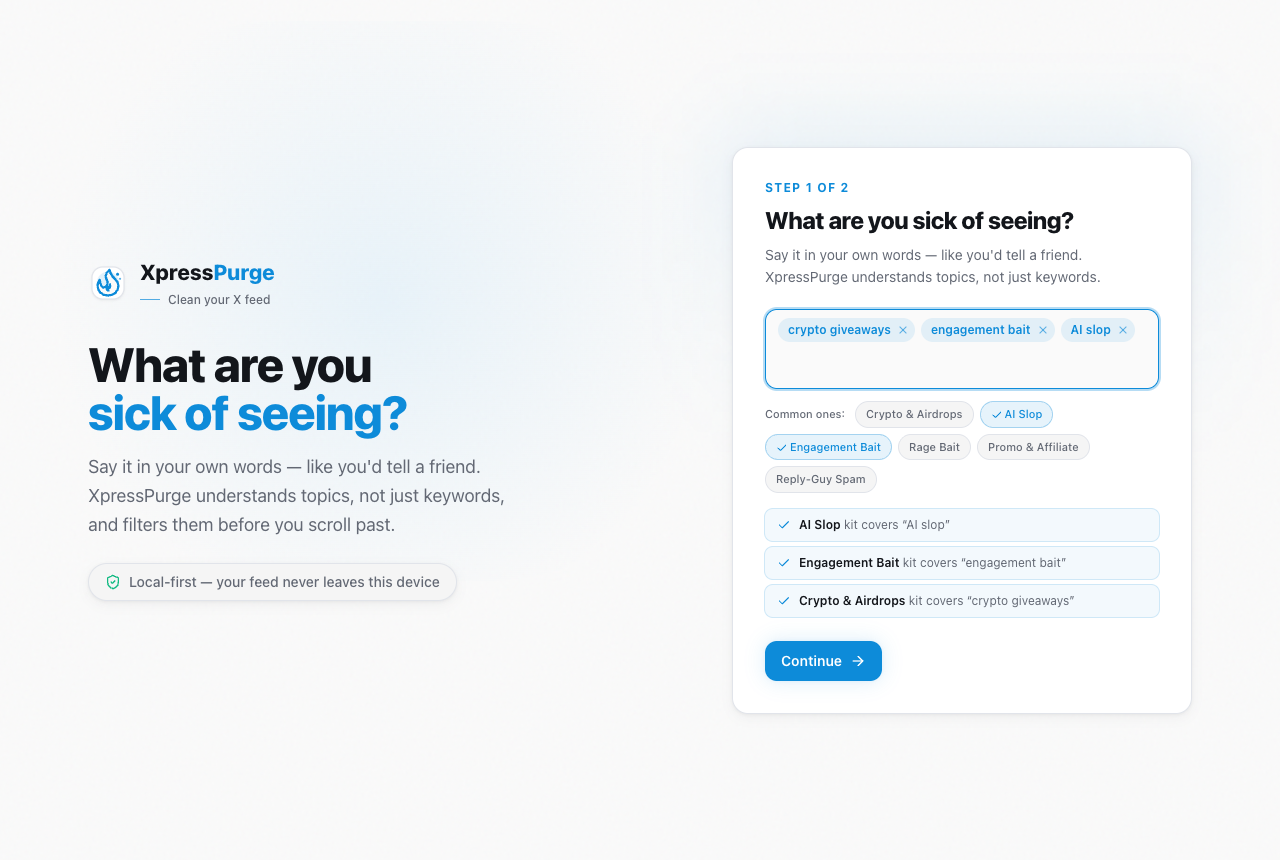
Welcome flow: describe what you are sick of seeing
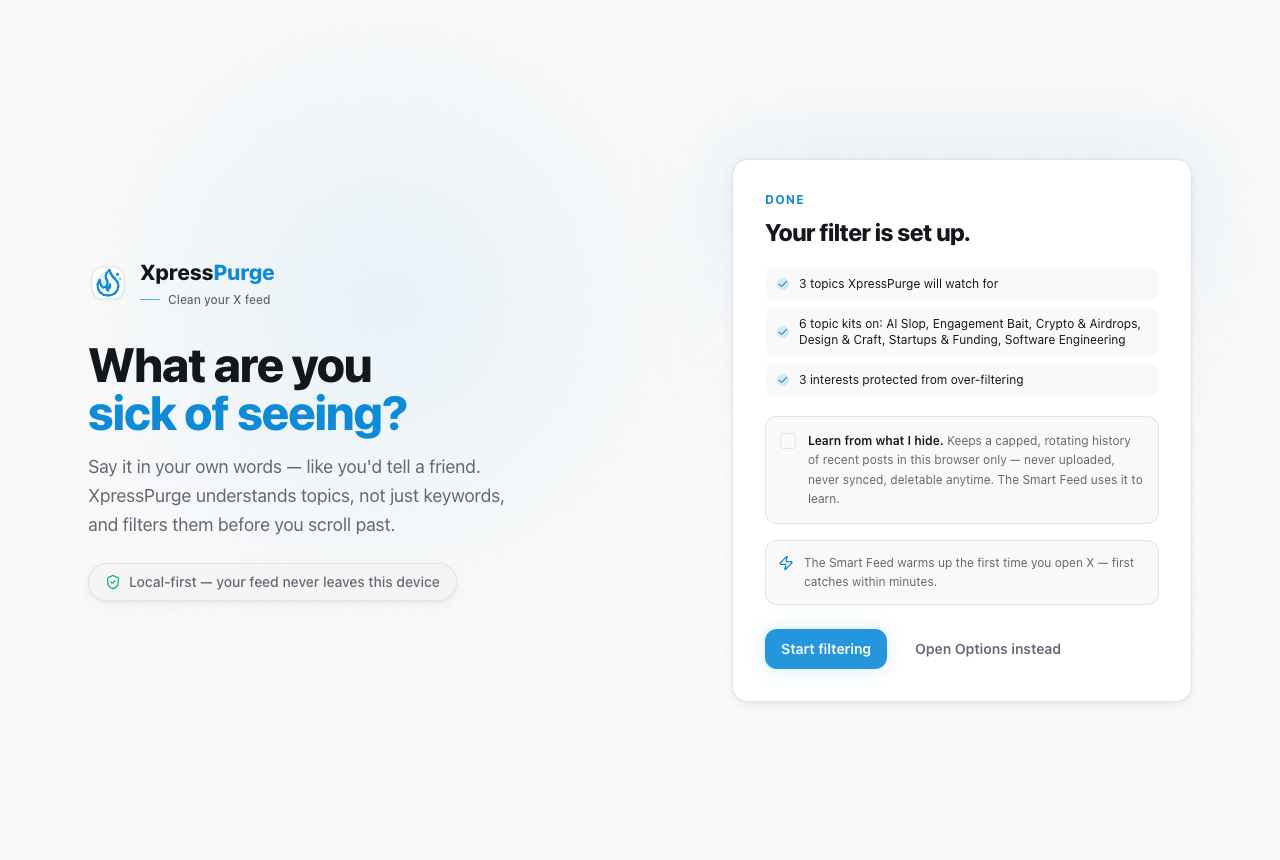
Your answer becomes topics, kits, and rules — review before it applies
After install, XpressPurge opens a welcome page that asks one question: "What are you sick of seeing?"
Answer in your own words — "crypto", "engagement bait", "US election rage" — and XpressPurge sets everything up before you open X:
- your phrases become Smart topics on your first feed mode;
- matching topic kits switch on automatically (all 17 built-in kits are free and unlimited);
- phrases no kit covers become exact keyword rules (free, unlimited).
After the summary, the Done step shows a trial card (on builds with the Smart Feed model): choose Start trial & start filtering for a one-shot 14-day Pro trial — no card — so the Smart Feed understands nuance, not just keywords, or Continue with Free. Nothing starts without your click. The trial includes 15 AI Coach actions. Kits and rules keep filtering after the trial — only the understanding layer pauses.
You can also skip and configure by hand in Options. A fresh install does not filter anything until you finish setup or create rules yourself.
2. Turn Filtering On
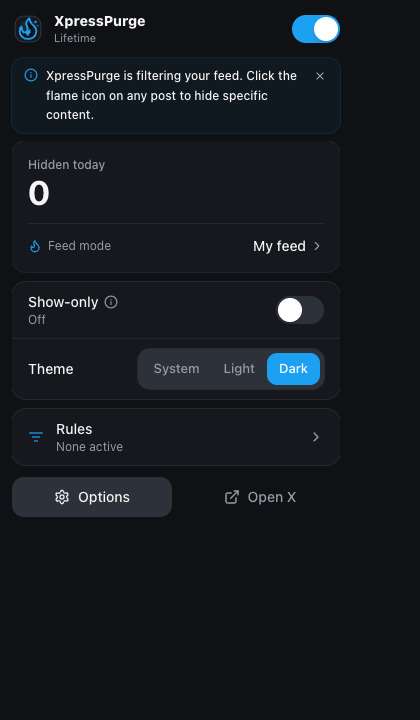
The toolbar popup: master switch, hidden today, feed mode
Click the XpressPurge icon in the toolbar.
- Main switch On
- Check Hidden today, Rules, and Mode
- Use Open X if needed
3. Create Your First Rule From a Post
On X, use the flame button on a post:
- hide the author;
- add a quick keyword rule;
- train a reviewed rule (Pro flows);
- See less like this when Smart Feed learning is on (Pro);
- open Options.
4. Exact Rules in Options
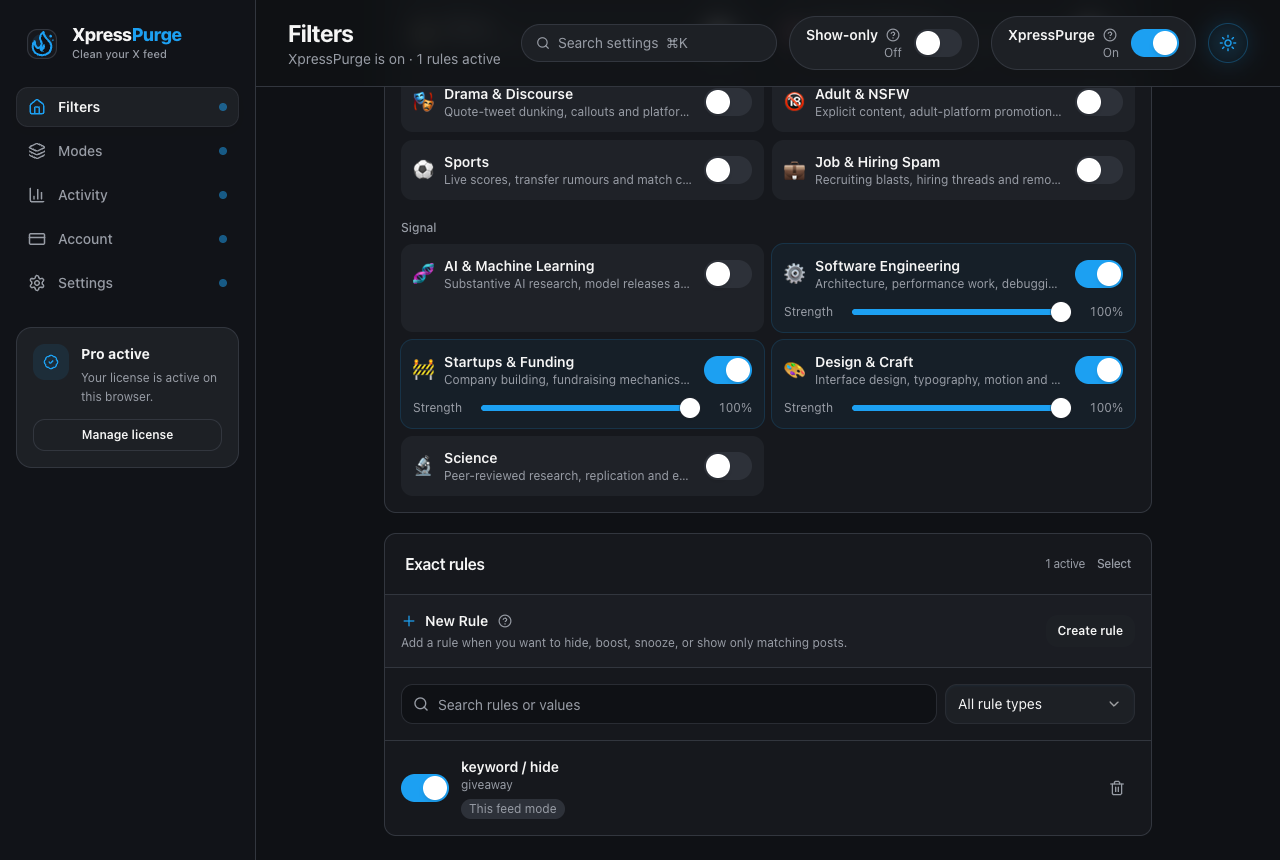
Options → Filters: Smart topics, topic kits, and exact rules
Open Options → Filters → Exact rules.
Create a rule:
- Type — keyword, account, post contains, engagement, link domain
- Action — Hide (free); Boost / Snooze / Show-only (Pro)
- Always apply — sticky on every feed mode if you want
Free: unlimited Hide rules, all built-in topic kits, 1 feed mode, analytics for today + 7 days.
Pro: multi modes, advanced actions, Smart Feed, full analytics ranges, sync, Pack Studio authoring, AI Coach.
5. Feed Modes (When You Need Contexts)
If you are on Pro and want different setups (work vs quiet), open Options → Modes. See Feed Modes.
Free stays on a single mode — still fully useful with rules, kits, and Cleanup.
6. Topic Kits and Smart Topics
On Filters, turn on topic kits and add Smart topics (see less / keep seeing). For Pro Smart Feed, complete the requirements panel (Pro, model available, store posts locally, etc.).
7. Pro Features (If You Have Pro)
- Settings → Local data — local corpus consent
- Activity — analytics and hidden log
- Account — activate code or Restore this browser
- AI Coach on Filters / Pack Studio for reviewable proposals
8. Local by Default, Optional Sync
By default everything stays on this browser. Pro can enable browser sync for rules and feed mode metadata only — not history, anchors, or analytics. See Options, Privacy, Sync.