Feed Modes
A feed mode is a named setup that controls how XpressPurge filters your timeline: Smart topics, topic kits, exact rules, strictness, and (for Pro) learning from hides.
Presets as a separate product layer were removed. Use feed modes instead.
Where to Manage Modes
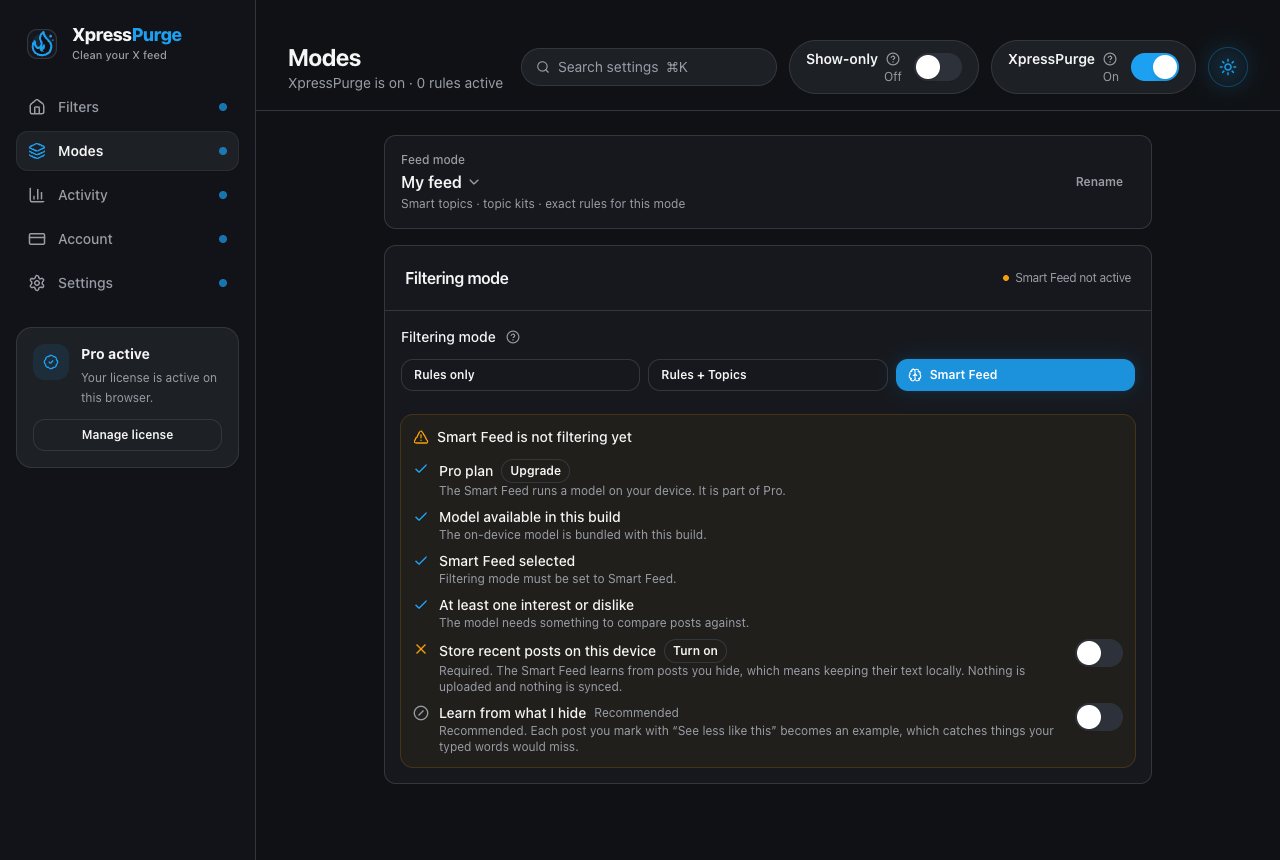
Options → Modes: filtering mode picker and the Smart Feed readiness checklist
Open Options → Modes (deep link options.html#modes, or press ⌘K / / in the Options header and search). The Feed mode switcher sits at the top of the tab, above the Filtering card.
You can:
- switch the active mode;
- rename a mode;
- add, duplicate, or delete modes (Pro for more than one).
Free vs Pro
| Free | Pro | |
|---|---|---|
| Feed modes | 1 | Unlimited |
| Sticky exact rules (“Always apply”) | Yes | Yes |
| Topic kits active at once | Up to 3 | Unlimited (+ custom kits) |
| Smart Feed / AI setup | — | Yes |
What Each Mode Owns
- Smart topics — phrases to see less of / keep seeing.
- Topic kits — which lexical kits run and their weights.
- Exact rules — which of your rules apply when this mode is active (unless a rule is sticky).
- Strictness — the Hide less ↔ Hide more dial for this mode.
- Learn from what I hide — whether “See less like this” teaches this mode (Pro).
The topics, kits, rules, and strictness themselves are edited on Options → Filters; the mode is switched and managed here on Modes.
Sticky Rules (“Always apply”)
When creating or editing an exact rule, turn on Always apply so the rule runs on every feed mode. Use this for hard lines (for example always hide a handle) that should not depend on which mode is active.
If a mode has no custom rule list yet (typical single-mode installs), all non-disabled rules apply. Once a mode lists specific rules, only those plus sticky rules apply for that mode.
Switching Modes
- Open Options → Modes.
- Open the feed mode control and pick another mode (Pro).
- The active mode name also appears in the toolbar popup on the status card's Feed mode row — click it to jump to Options → Modes.
Switching modes does not delete other modes’ settings. Local Smart Feed examples are associated with a mode when possible.
AI Coach Setup (Pro)
On the Modes page, Pro users can describe the feed they want. Coach proposes Smart topics, kits, optional exact rules, and strictness. You review and apply; approved Smart topics replace the current list for that mode rather than silently merging forever.