Pack Studio
Pack Studio is the power-user editor for topic packs. Casual users can ignore it and keep using the simple Topic Packs card on the Filters tab.
Open Pack Studio
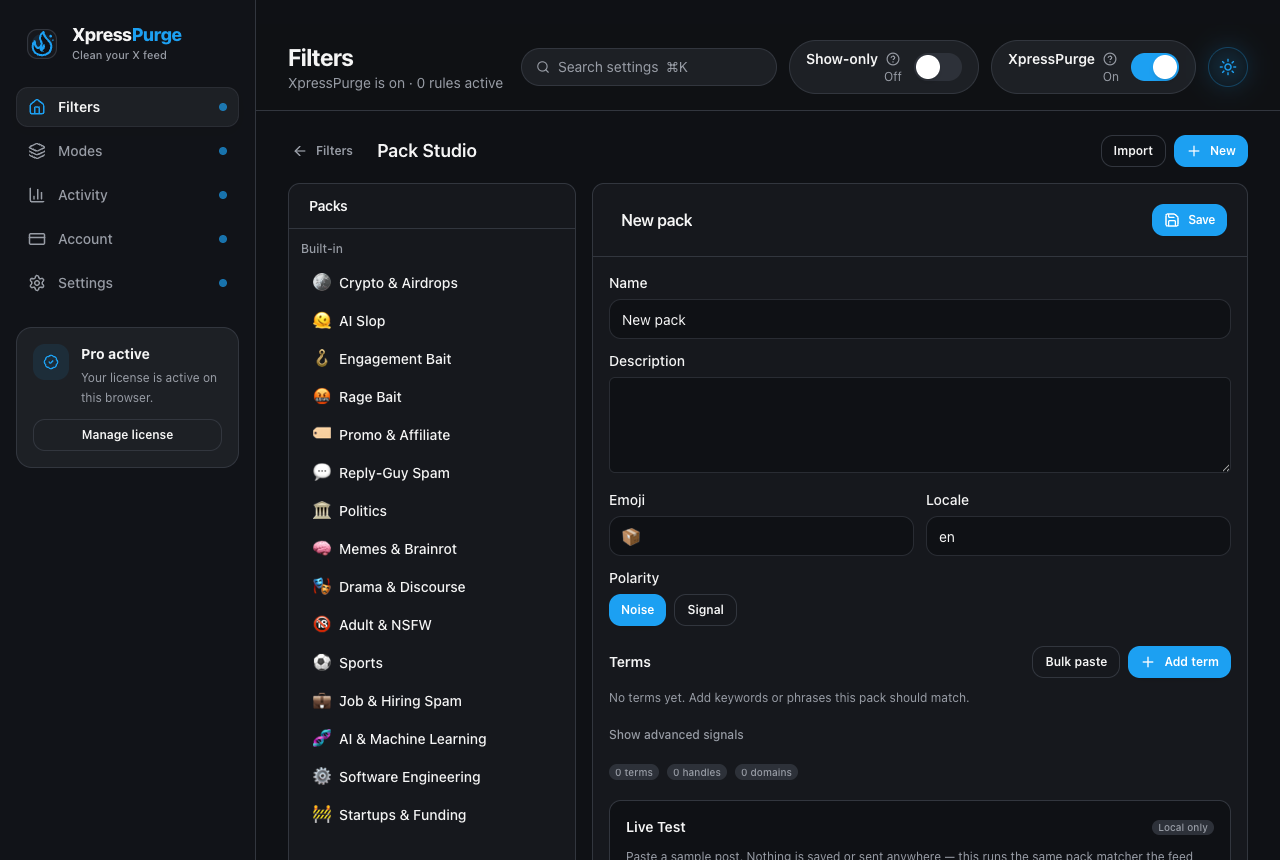
Pack Studio: built-in kits on the left, your packs and editor on the right
- Open Options → Filters (deep link
options.html#filters). - In Topic Packs, click Manage packs.
Or create/import packs from the Pack Studio toolbar.
What you can do
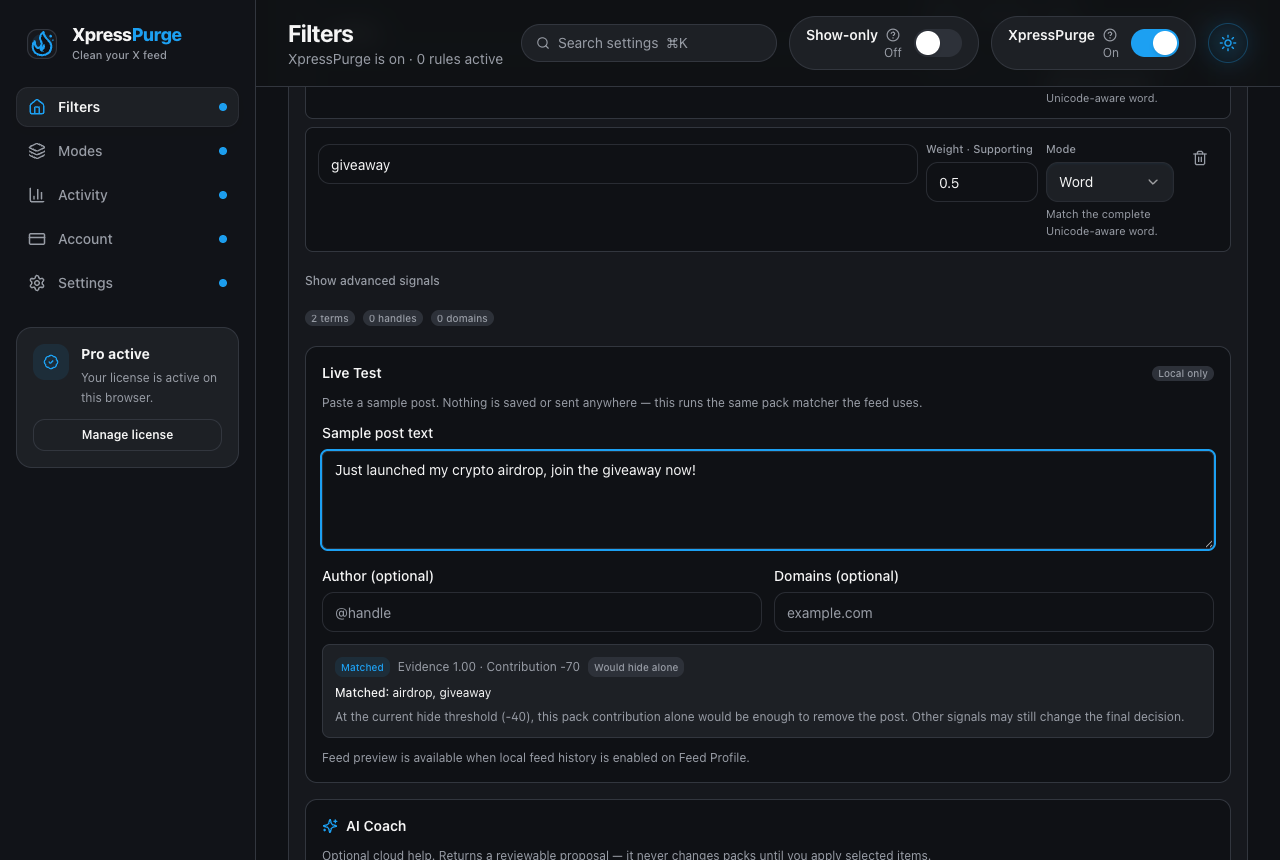
Live Test runs the real pack matcher on a sample post — local only
- Browse Built-in, Custom, and Imported packs.
- Duplicate to customize a built-in pack (built-ins are never edited in place).
- Create a new custom pack with name, description, emoji, polarity, locale, and terms.
- Set each term’s weight and match mode:
- Word — complete Unicode-aware word
- Phrase — phrase after whitespace normalization
- Anywhere — substring; use only when unambiguous
- Add advanced signals (handles, domains, cashtags, emoji) when needed.
- Live Test sample post text locally — nothing is sent to the network.
- Optionally preview against your recent local feed history when that consent is already on.
- Save, Undo (from local revision history), Export, and Delete custom/imported packs. Save stays in the editor header; the other actions live in the ⋯ menu next to it.
Free vs Pro
- Free: browse packs, activate up to three, import shared packs (inactive until you turn them on).
- Pro: create, deeply edit, export/share, and use AI Coach drafts/improvements.
Privacy
Pack Studio edits stay on this browser. Live Test is local-only. AI Coach is optional and separate — see AI Coach.