Smart Rules
Smart Rules is a Pro workspace that helps you turn repeated feed patterns into reviewed rule drafts.
Open Options > Smart.
What Smart Rules Does
Smart Rules can analyze a capped sample of recent home-feed posts and suggest:
- repeated account rules;
- repeated domain rules;
- recurring phrase rules;
- a low-engagement preset;
- a cleanup preset that bundles strong suggestions together.
Smart Rules does not auto-create rules. You must choose Apply, Dismiss, or Edit before saving.
Opt-In Feed History
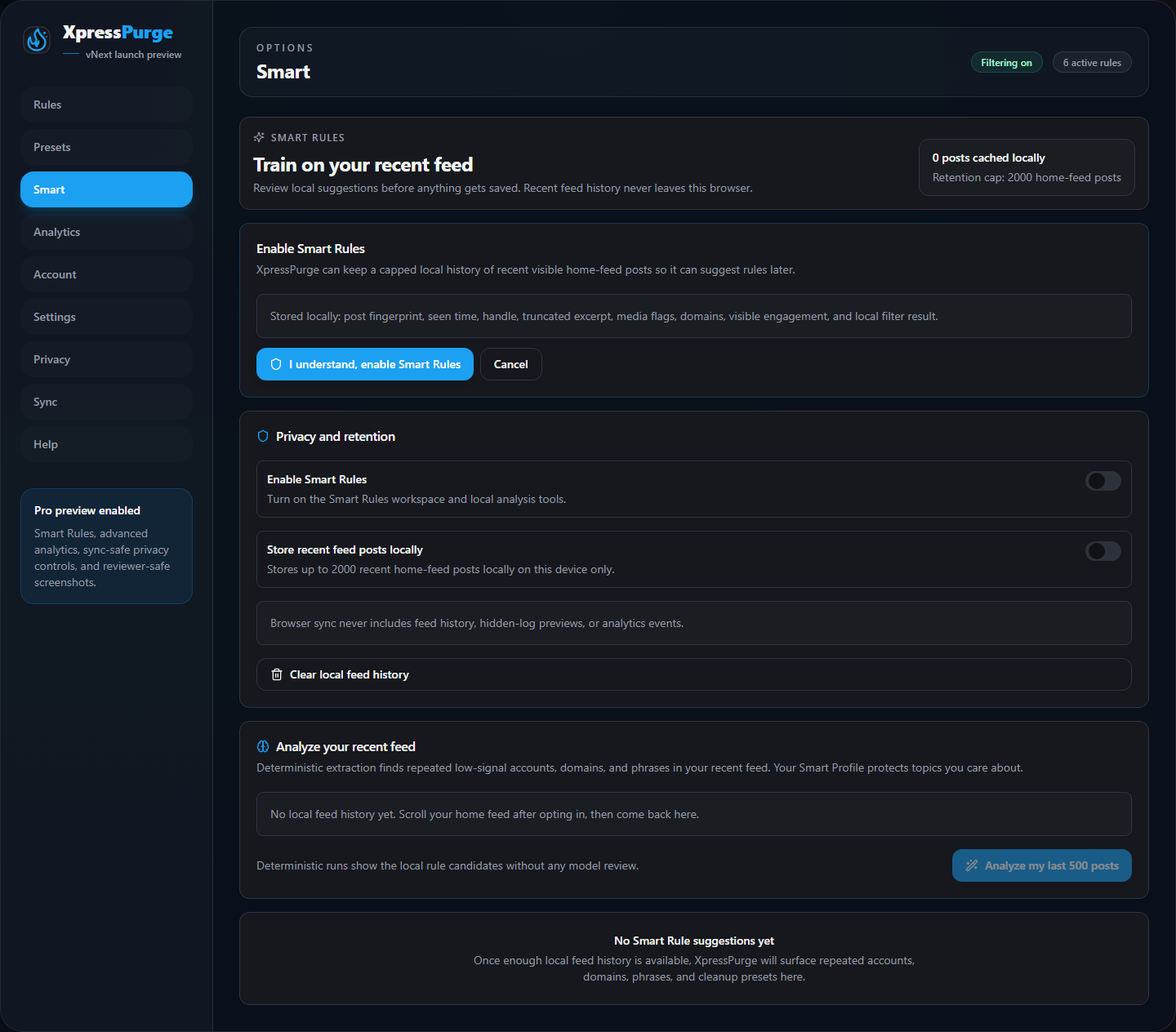
Smart Rules opt-in screen
Smart Rules only works after you explicitly opt in.
When enabled, XpressPurge can keep a local history of recent home-feed posts in IndexedDB.
The current retention cap is up to 2000 recent home-feed posts on this device.
The retained local fields are:
- a stable post fingerprint;
- seen time;
- handle, if visible;
- a normalized excerpt capped at 320 characters;
- media flags;
- external domains only;
- visible engagement;
- local filter result.
Smart Rules does not keep raw URLs, HTML, or media URLs.
Analyze My Last 500 Posts
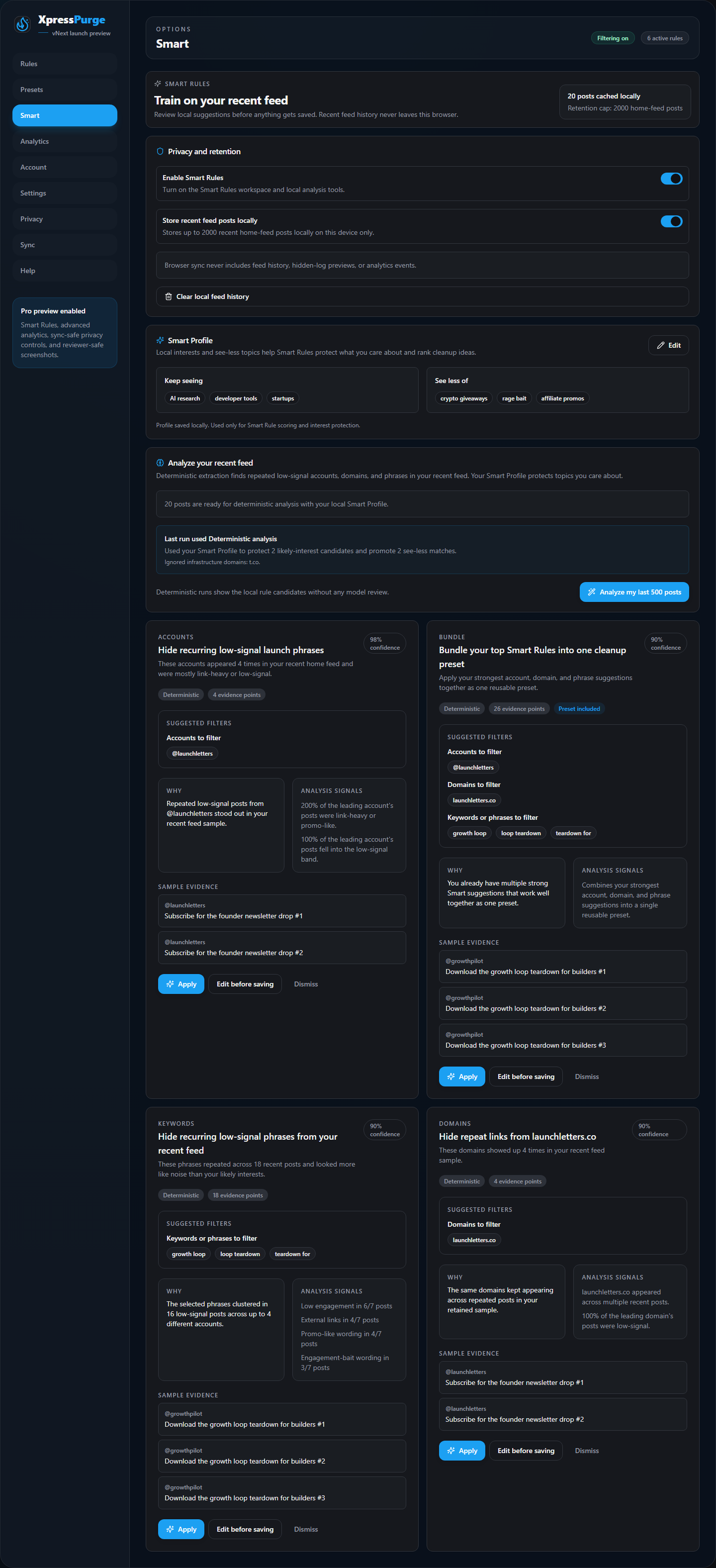
Smart Rules analysis results
The Analyze my last 500 posts button uses the most recent retained home-feed sample.
XpressPurge can retain more than 500 posts locally, but each analysis run uses the latest 500 retained entries.
Smart Profile
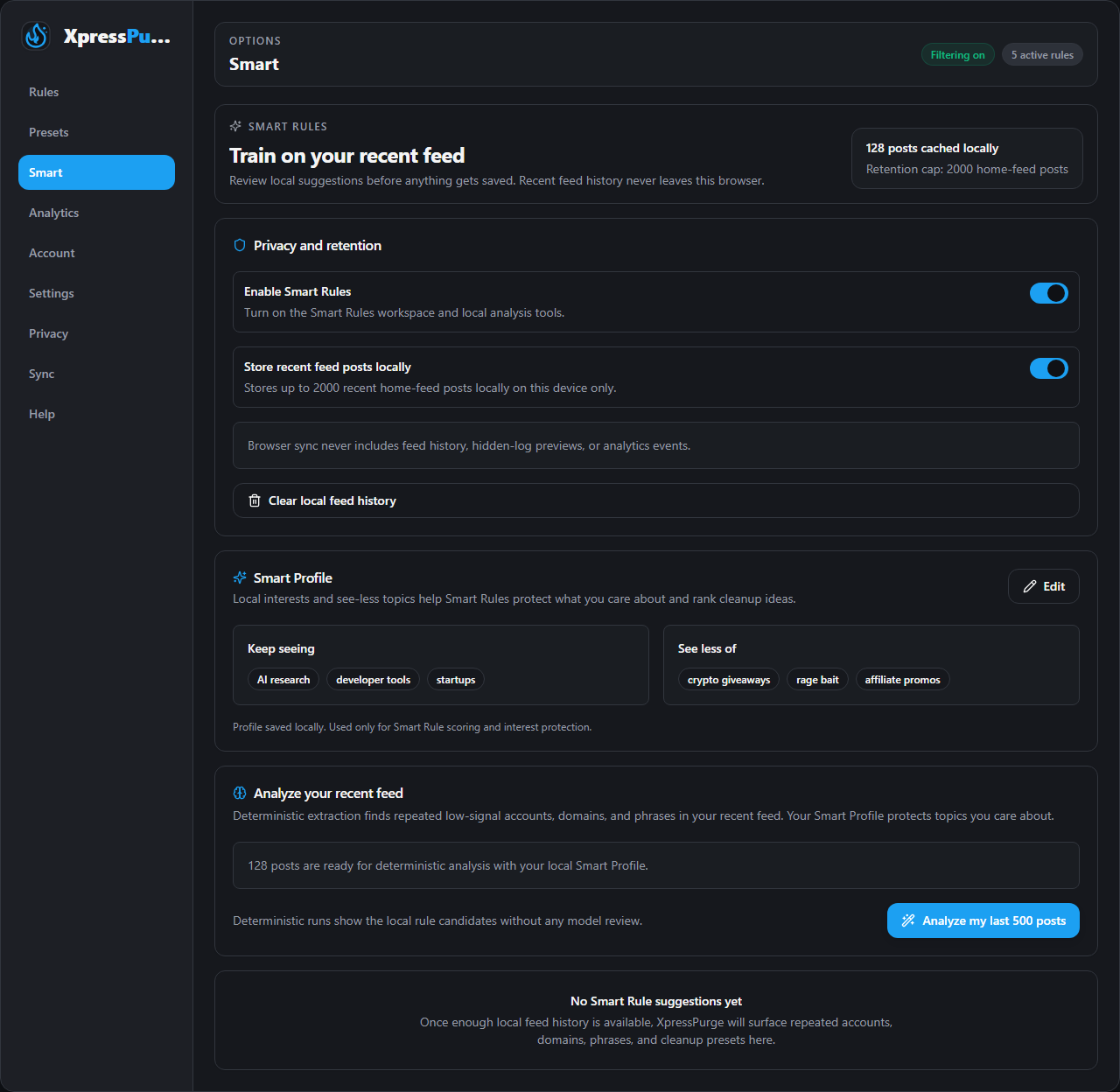
Smart Profile editor
After enabling Smart Rules, you can add a local Smart Profile:
- Keep seeing: topics you care about, such as AI research, developer tools, startups, or security.
- See less of: topics you want Smart Rules to treat as cleanup signals, such as crypto giveaways, rage bait, affiliate promos, or follow-for-follow posts.
The Smart Profile stays local to this browser. It is used only to score, rank, and explain Smart Rule suggestions. It does not auto-create rules.
Smart Rules uses deterministic analysis only: local rule logic, local feed history, and your Smart Profile. It never calls any AI model.
Interest Co-occurrence Protection
Smart Rules protects topics you care about in two ways:
- Direct match protection: if a repeated phrase literally contains one of your Keep seeing terms, it is protected from filtering.
- Co-occurrence protection: if a phrase repeatedly appears in posts that also contain your Keep seeing terms, it is protected even when the phrase itself does not match your interests. This prevents accidentally filtering out posts about topics you like when they share common wording with unrelated content.
You can strengthen protection by adding comma-separated synonyms in your Smart Profile. For example, if you like AI content, add "AI, Claude, ChatGPT, Anthropic" so related names are also protected when they appear nearby in posts.
Smart Rules treats repeated phrases conservatively. It avoids suggesting phrases that match your Keep seeing topics unless those phrases also cluster strongly with low-signal or promo-like patterns. It can promote suggestions that match your See less of topics only when there is enough repeated local evidence.
Smart Rules ignores X redirect infrastructure domains such as t.co when building domain suggestions.
Train Rule From This Post
The flame menu on a post includes Train rule from this post.
That action opens a lightweight modal with reviewed drafts for:
- the author handle;
- a keyword or phrase;
- a link domain, if the post includes one.
You can save one of those rules directly or open the full rule builder. Nothing is silently created.
If you are on Free, the menu still shows the feature as Pro and sends you to the full Options flow instead of opening the training modal.
Privacy Controls
The Smart tab includes:
- the main Smart Rules toggle;
- the local feed-history toggle;
- a clear-history action;
- local Smart Profile editing;
- local-only retention messaging.
Browser sync never includes feed history, hidden-log previews, or analytics events.