Rules
Rules tell XpressPurge what to match and what action to take.
Open Options > Rules to create, edit, search, enable, disable, or delete rules.
Rule Structure
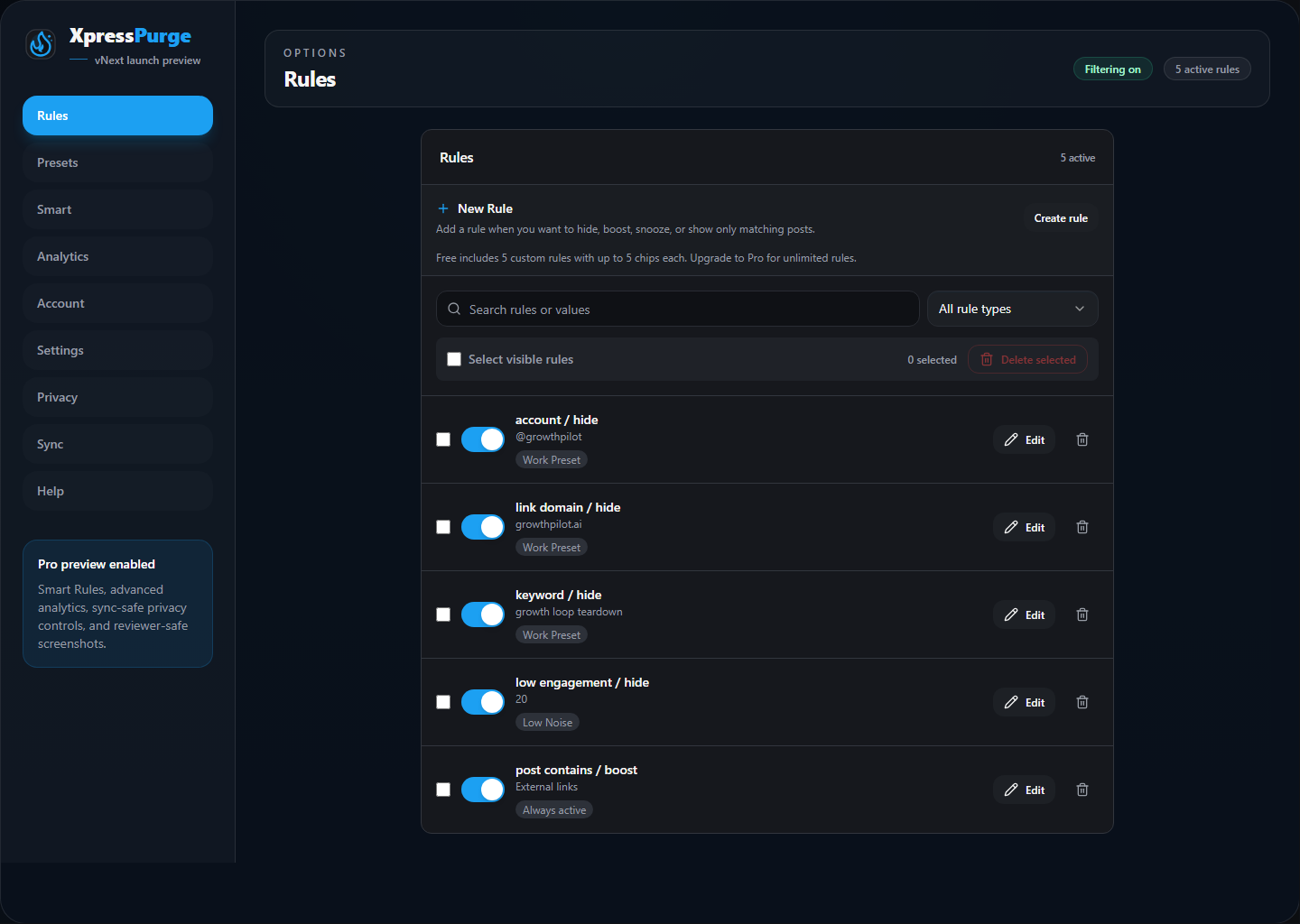
Rules tab in Options
Each rule has:
- Rule type: what XpressPurge checks.
- Action: what happens when the rule matches.
- Values: the keywords, handles, domains, media/content types, or numbers used for matching.
- Preset assignment: optional preset groups where the rule belongs.
- Enabled state: whether the rule is active.
- Source metadata: whether the rule started from manual entry, a quick menu, Smart Rules, analytics, or a starter preset.
Rule Types
Keyword
Matches posts containing any keyword or phrase you add.
Example values:
crypto, ai slop, politics
Multiple keyword chips use OR behavior. If any chip appears in the post text, the rule matches.
Account
Matches posts from specific handles.
Example values:
@example, @another_user
Handles are normalized with @.
Post Contains
Matches posts that include selected content types:
- Images
- Videos
- Quotes
- External links
This is useful for hiding heavy media, link-card posts, or quote-post chains.
Low Engagement
Matches posts at or below a combined visible engagement threshold.
XpressPurge reads visible reply, repost, like, and view labels where available. X can change how these values appear, so low-engagement matching is best treated as helpful rather than perfect.
Link Domain
Matches posts linking to selected external domains.
Example values:
example.com, newsletter.com
Domains are normalized by removing https://, http://, www., and path text.
Advanced Logic
Advanced logic appears as a Pro-only rule type in the builder, but the current extension build does not expose a working condition editor yet.
In the current UI, XpressPurge explicitly tells users:
Advanced logic hooks are preserved for V2. Use simple rules for now.
Advanced Logic is not the same as regular expressions. Regex matching is not currently implemented.
For details, see Regex and Pattern Matching.
Rule Actions
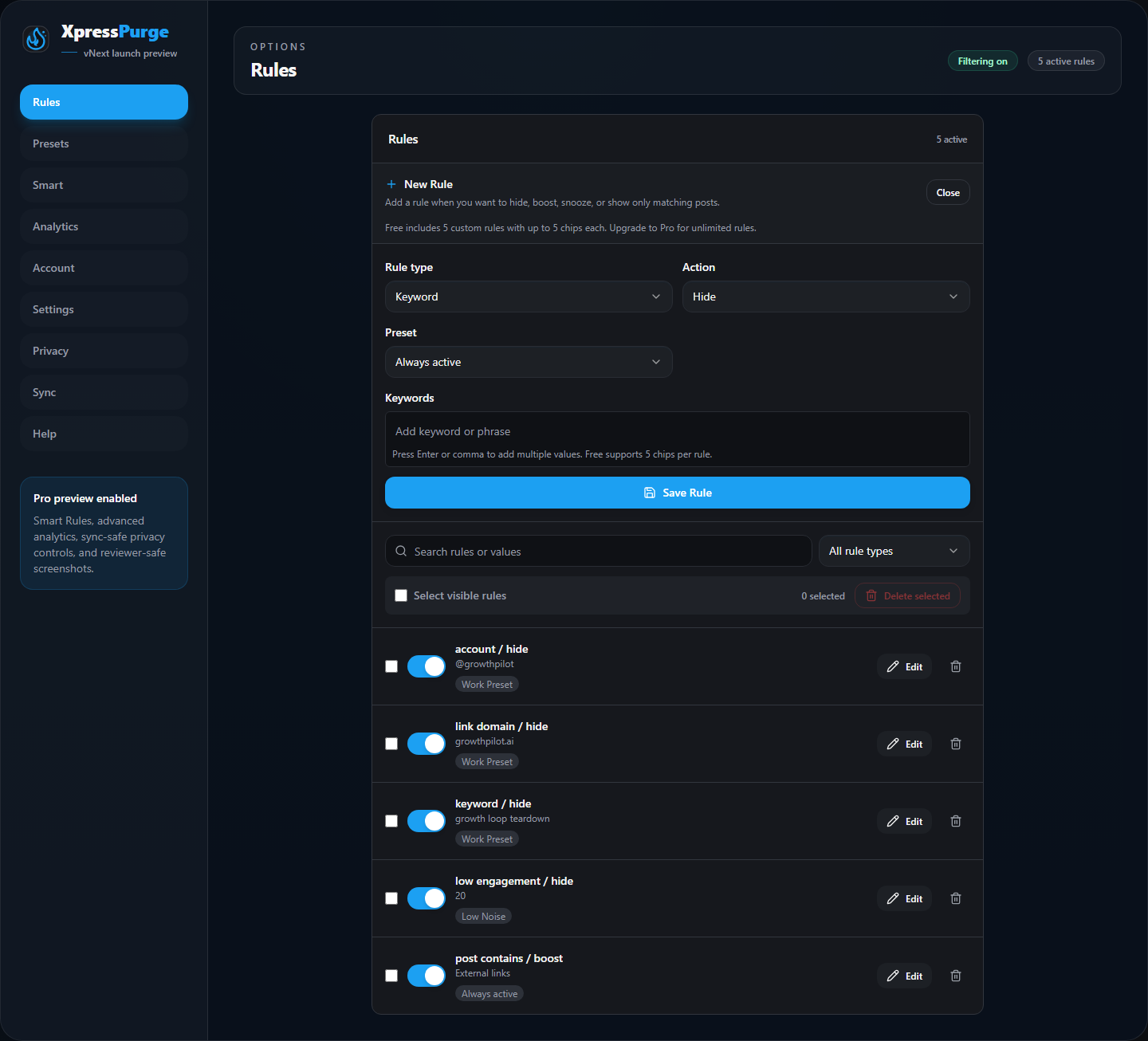
Creating a new rule
Hide
Hides matching posts.
Depending on your hide behavior setting, hidden posts are either:
- collapsed; or
- dimmed.
Boost
Visually highlights matching posts so they stand out in the feed.
Boost does not reorder X's feed. It only changes how matching posts look.
Snooze
Temporarily hides matching content for a selected duration.
When you create or edit a Snooze rule, you choose how long it should stay active. While the Snooze is active, matching posts are hidden like a normal Hide rule.
When the Snooze expires, the rule turns off automatically. You can re-enable it later to start the Snooze period again.
Show Only
Show-only rules are used with Show-only mode.
When Show-only mode is on and you have Show-only rules, matching posts stay visible and non-matching posts are hidden.
When Show-only mode is off, Show-only rules do not constrain the feed.
Multiple Values in One Rule
Keyword, Account, Link Domain, and Post Contains rules support multiple values.
Within one rule, values use OR behavior:
- keyword rule with
ai, cryptomatches posts containingaiorcrypto; - account rule with
@one, @twomatches either author; - domain rule with
example.com, another.commatches either domain; - post contains rule with
Videos, External linksmatches posts containing videos or external links.
Important: Values Are Not Regex
Keyword, account, and domain values are treated as normal text values, not regular expressions.
For example:
crypto|bitcoin
does not mean "crypto OR bitcoin" as a regex. It searches for the literal text crypto|bitcoin.
To match both terms, create separate chips instead:
crypto, bitcoin
Free Limits
Free users can use core Hide rules with limits:
- 5 custom rules;
- up to 5 values per rule;
- 2 custom presets;
- 2 active presets.
Pro unlocks:
- unlimited rules;
- unlimited presets;
- unlimited values per rule;
- Boost;
- Snooze;
- Show-only;
- Smart Rules;
- full analytics;
- browser sync;
- popup customization;
- backend-verified Pro activation and billing tools.
Rule Management
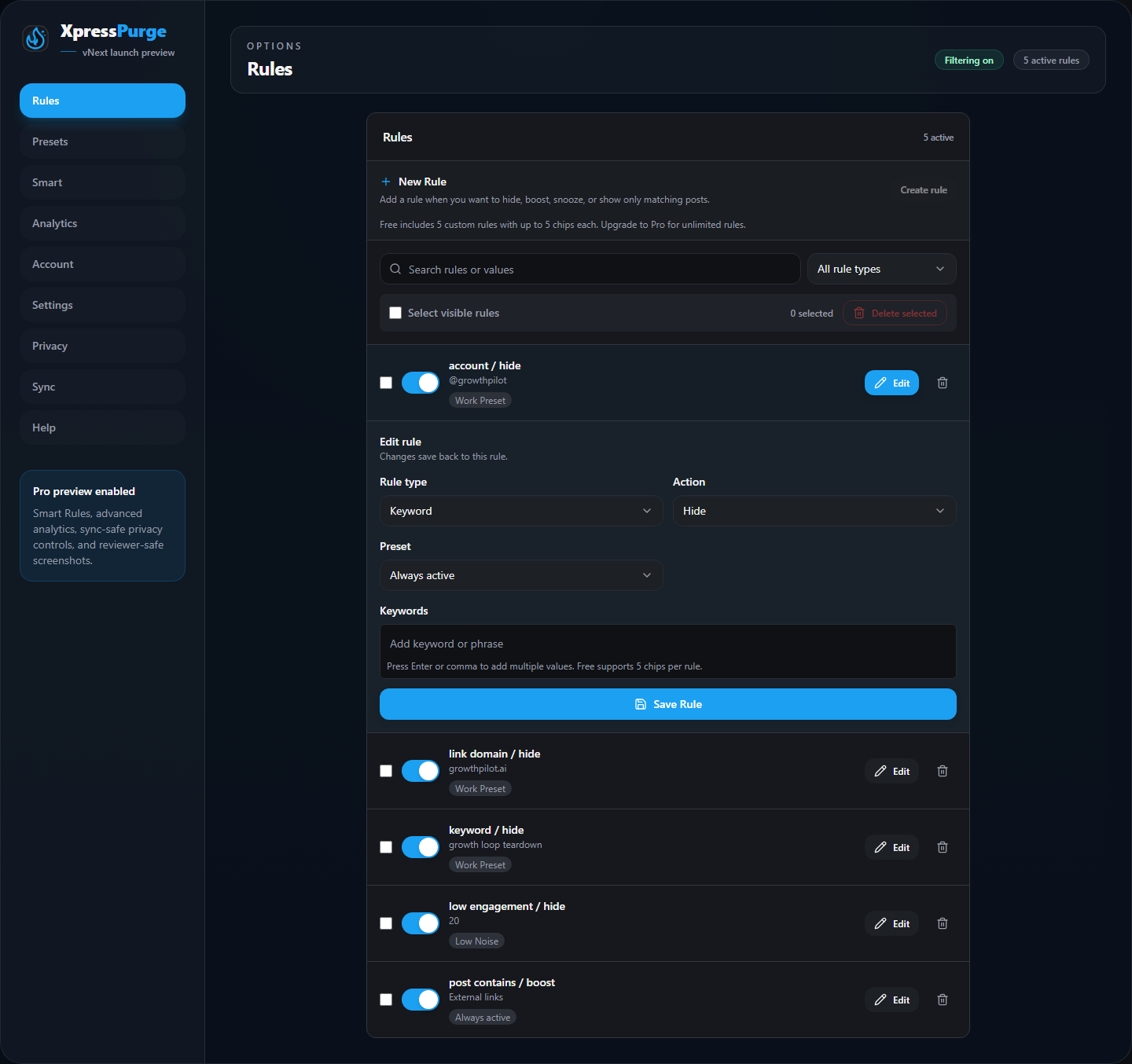
Editing an existing rule
In Options > Rules, you can:
- create a rule;
- edit an existing rule;
- enable or disable a rule;
- search rules;
- filter by rule type;
- select visible rules;
- bulk delete selected rules;
- delete one rule at a time.
Use presets when you want to turn groups of rules on and off together.
Smart Rule Drafts
Smart Rules and Train rule from this post both create reviewed drafts before saving.
These drafts can start from:
- repeated accounts;
- repeated domains;
- recurring phrases;
- analytics follow-up actions such as top hidden account review;
- in-feed training from a specific post.
You still decide whether to save, edit, enable, or group the resulting rule.