Presets
Presets are groups of rules that can be turned on or off together.
Use presets when you want different browsing modes, such as work focus, low-noise browsing, or topic-specific filtering.
Starting State
A fresh local XpressPurge state does not include permanent default presets.
You create presets yourself in Options > Presets.
If you use the onboarding wizard, it can optionally bundle starter rules into a preset called Low-noise starter.
When to Use Presets
Use presets when:
- you want a group of rules to activate together;
- you want different setups for different browsing sessions;
- you want analytics grouped by rule category;
- you want quick toggles from the toolbar popup.
You do not need presets for every rule. Rules without preset assignment can remain globally active.
Create a Preset
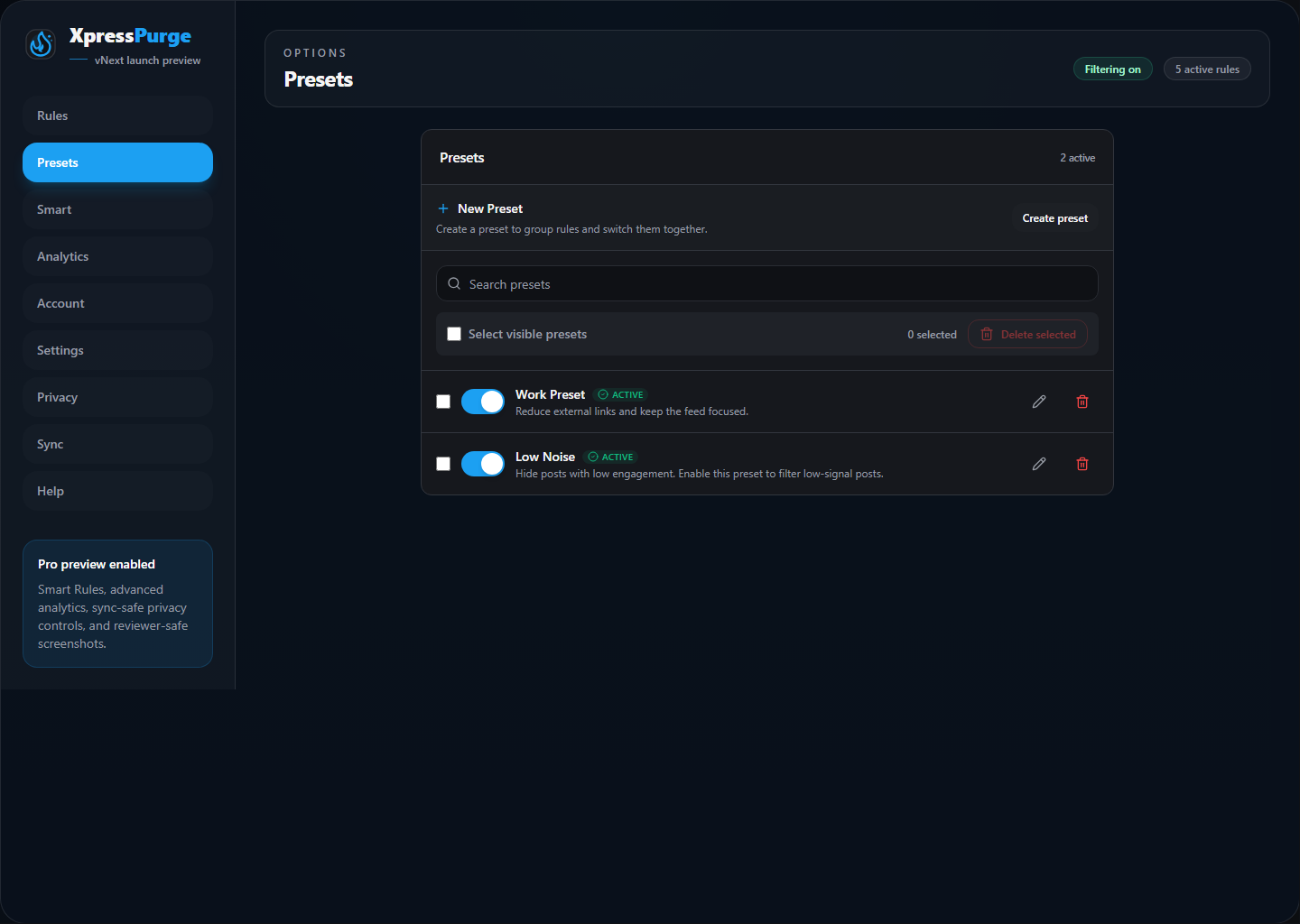
Presets tab in Options
- Open Options > Presets.
- Click Create preset.
- Enter a preset name.
- Enter a description.
- Click Create.
The create panel is collapsed by default to keep the page compact.
Edit a Preset
- Open Options > Presets.
- Click a preset row.
- Edit the preset name or description.
- Add or remove rules in the expanded preset configuration area.
- Click Done when finished.
Add Rules to a Preset
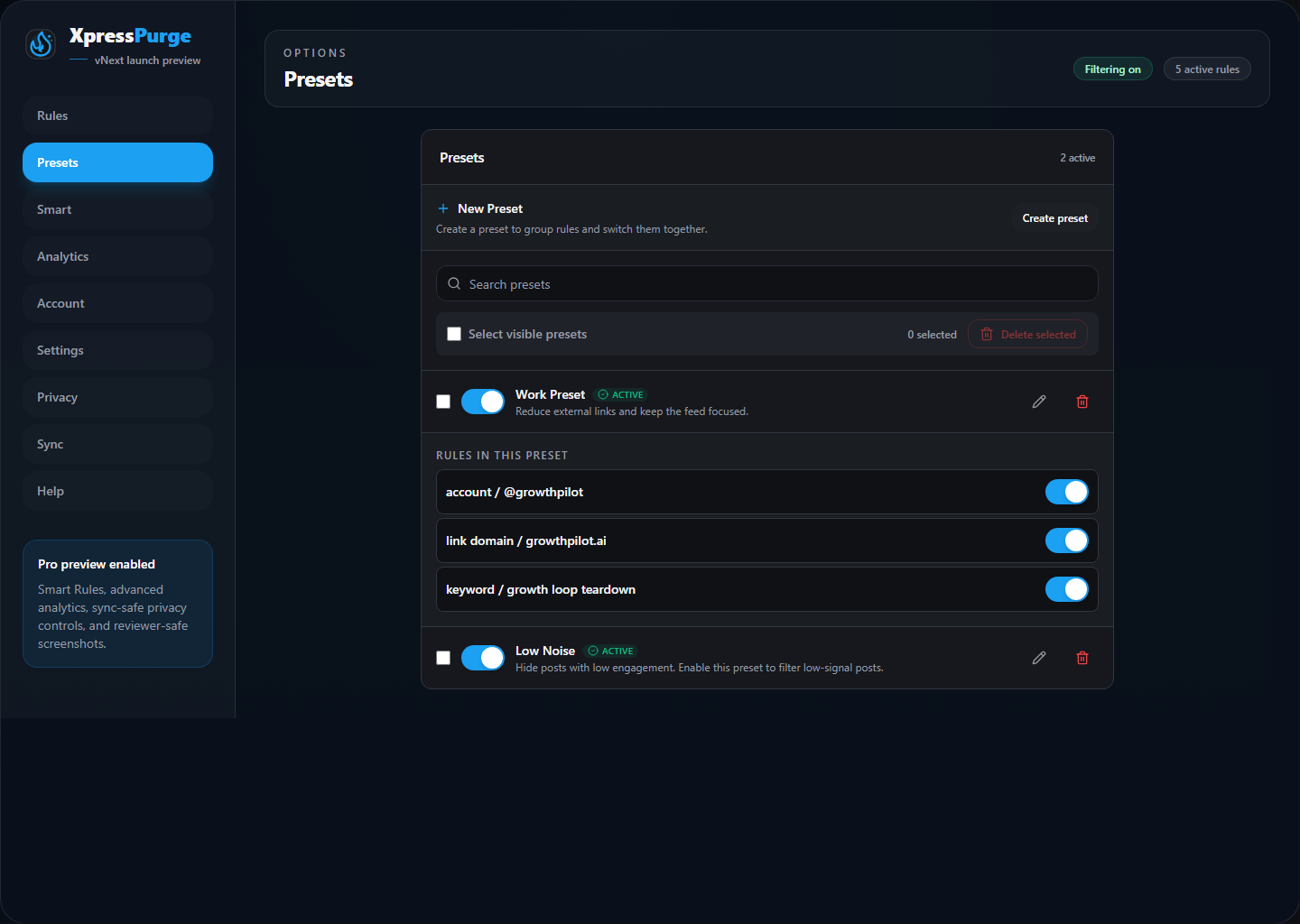
Expanded preset with rules
Inside an expanded preset:
- Rules in this preset shows rules already grouped there.
- Add rules lets you search available rules and add them.
If you have many rules, use search to narrow the list.
Remove Rules From a Preset
Inside the expanded preset, click the remove button next to a rule under Rules in this preset.
Removing a rule from a preset does not delete the rule. It only removes that preset assignment.
Toggle Presets
You can turn presets on or off from:
- Options > Presets;
- the toolbar popup Presets subview.
Delete Presets
In Options > Presets, you can:
- delete one preset with the trash button;
- select multiple presets;
- bulk delete selected presets.
Deleting a preset does not necessarily delete the rules themselves. It removes the preset group.
Empty Preset State
If all presets are deleted, XpressPurge shows an empty state explaining that presets can group rules together.
You can continue using rules without presets.