Analytics
Analytics show how much unwanted content XpressPurge kept out of your feed.
Analytics are a Pro feature.
Where Analytics Come From
When an active Hide rule matches a post, XpressPurge records a local analytics event.
Analytics can include:
- day;
- seen count;
- visible count;
- matched rule IDs;
- matched preset IDs;
- rule type;
- category breakdown;
- hour buckets;
- hidden or boosted state.
Hidden-post logs can include:
- local post fingerprint;
- matched rule IDs;
- reason;
- hidden time;
- author handle, if available;
- short preview text.
Analytics and hidden-log entries are stored locally in your browser's IndexedDB.
Standard configuration exports do not include analytics events or hidden-log previews. Browser sync does not include them either.
Analytics Dashboard
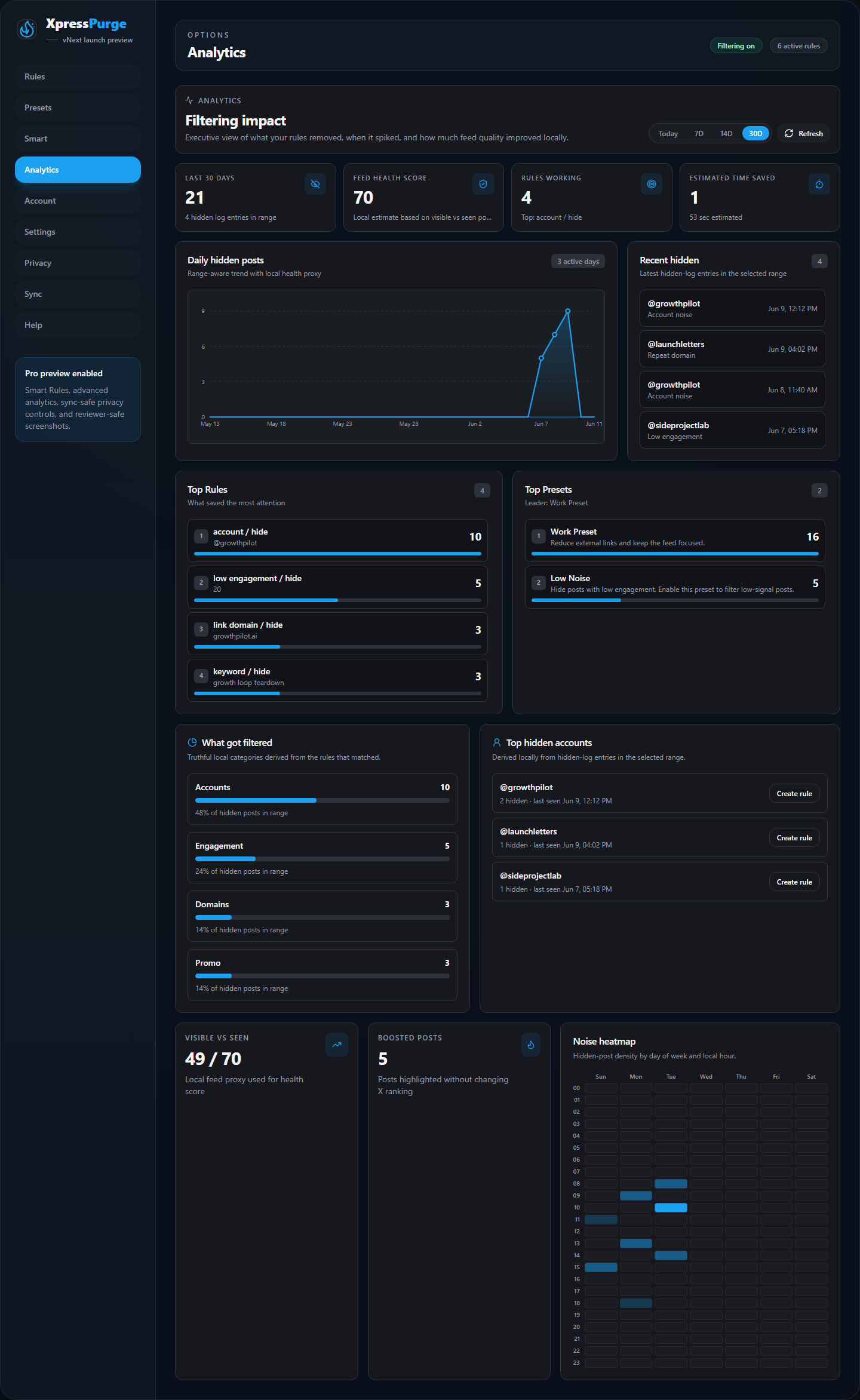
Analytics dashboard overview
Open Options > Analytics.
The dashboard shows:
- Hidden today: posts hidden today.
- Selected range total: hidden posts in Today, 7d, 14d, or 30d.
- Rules working: how many rules have hidden posts.
- Boosted posts: posts visually highlighted by Boost rules.
- Feed health score: local estimate based on visible vs seen posts.
- Estimated time saved: local estimate based on hidden posts.
- Daily Hidden Posts: a day-by-day trend chart.
- Visible vs seen: the proxy used for the health score.
- Category Breakdown: what kinds of rules are doing the filtering.
- Top Hidden Accounts: the accounts most often hidden in the selected range.
- Noise Heatmap: hidden-post density by day of week and hour.
- Recent Hidden: latest local hidden-log entries.
- Top Rules: rules ranked by hidden-post impact.
- Top Presets: presets ranked by hidden-post impact.
Range Controls
Use Today, 7d, 14d, or 30d to change the analytics window.
All dashboard sections update to match the selected range.
Health Score
Health score is a local estimate:
healthScore = round(100 * visibleCount / max(seenCount, 1))
It is useful for trend comparison, not as a precise platform metric.
Estimated Time Saved
Estimated time saved is also a local estimate:
estimatedTimeSaved = hiddenCount * 2.5 seconds
This is a proxy meant to help users understand impact, not a measured stopwatch value.
Daily Chart
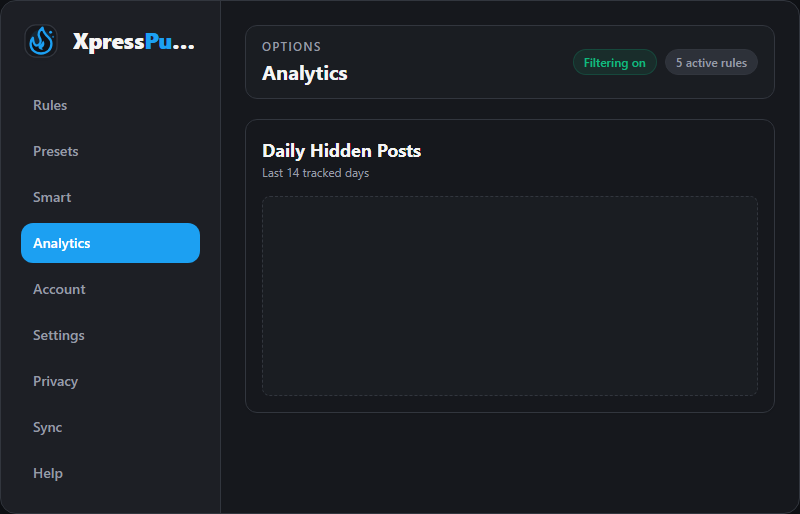
Daily hidden posts chart
The daily chart shows hidden posts by day.
Use it to understand whether your feed is getting cleaner over time or whether specific days had more unwanted content.
Top Rules
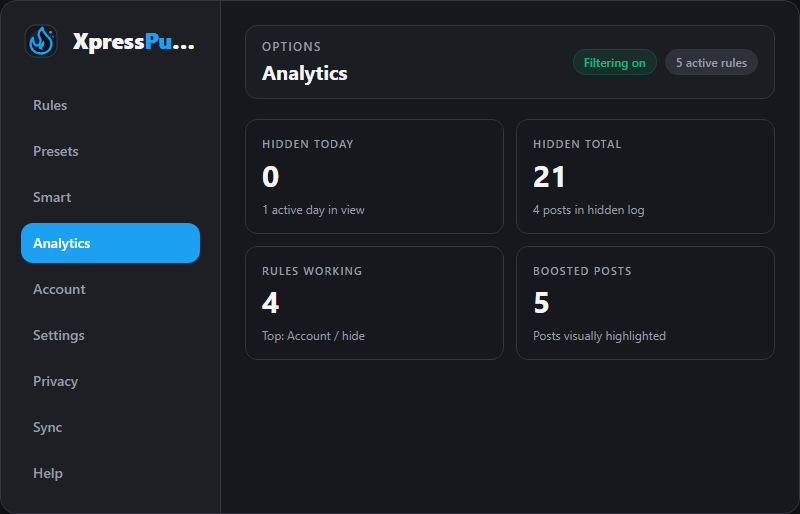
Key performance indicators
Top Rules shows which rules saved the most attention.
Example:
crypto / hidehidden 100 posts;@example / hidehidden 45 posts;External links / hidehidden 30 posts.
Top Presets
Top Presets groups rule impact by preset.
This helps users understand the value of presets, such as:
- Work Preset removed distracting links;
- Low Noise removed low-engagement or media-heavy posts;
- a custom Crypto preset removed crypto spam.
Category Breakdown
Categories are derived from rule types by default.
Special metadata is used only for:
- Promo
- Engagement bait
XpressPurge does not expose bot categories in the UI.
Top Hidden Accounts
Top Hidden Accounts shows which handles appeared most often in the hidden log for the selected range.
You can use this as a review queue before deciding whether to create a new account rule.
Noise Heatmap
The heatmap shows hidden-post density by local day of week and hour.
Use it to spot when your feed tends to get noisier.
Recent Hidden
Recent Hidden shows the latest local hidden-log entries.
Click an entry to preview more detail. Click again or click outside the preview to close it.
Refreshing Analytics
The Analytics page auto-refreshes while open and includes a Refresh button.
If numbers do not update:
- Keep X open.
- Scroll the feed so XpressPurge can scan visible posts.
- Confirm Filtering is on.
- Confirm at least one Hide rule is active.
- Return to Analytics, choose the right range, and click Refresh.
Why Analytics May Show Zero
Analytics can be zero if:
- Filtering is off;
- no active Hide rules matched visible posts;
- matching rules are Pro-locked while you are on Free;
- the rule is assigned to an inactive preset;
- Show-only mode is off for Show-only rules;
- X changed its page structure and post detection needs an update;
- the browser extension was just installed and has not hidden anything yet.